Debug
Thanks to the support of the editor, we can quickly debug the application locally.
VSCode
JavaScript Debug Terminal
Create a JavaScript Debug Terminal in VSCode.
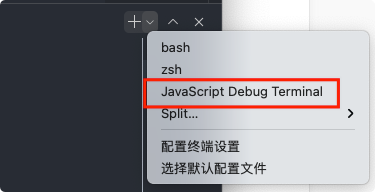
Run a command (such as npm start) on the command line to automatically enable debugging mode.
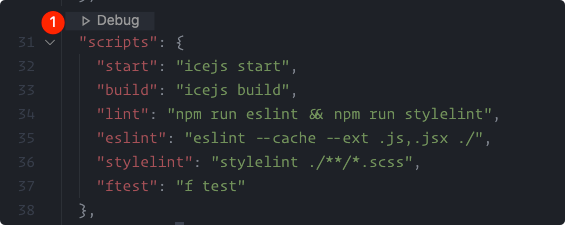
Debug Scripts
Open the package.json and view the debug button above the scripts.
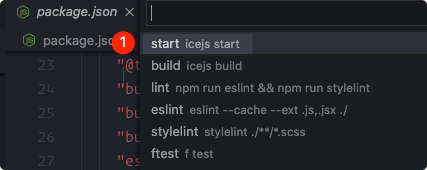
Select the start command to start the debugging mode.
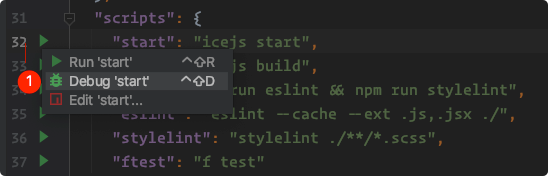
Jetbrains (WebStorm/IDEA...)
Open the package.json, select the scripts you want to execute, and click the debug button to start local debugging.